Personal software-development portfolio

Building practical software projects around real problems.

I build small applications and tools for travel planning, personal administration, automation and structured data. This site documents the software projects I work on, the technologies behind them, and what I learn while building them.

Selected projects

Software built around problems I actually encounter.

These are personal, non-commercial projects used to explore application architecture, data modelling, responsive design, testing, deployment and automation.

01 · Web application
VoyageSuiteActive development

Plan deeply at home. Read effortlessly while travelling.

A personal trip-planning web application for building detailed multi-day itineraries and viewing them easily while travelling.

Development focus: responsive application design, itinerary data modelling, mobile travel mode, authentication, reliable date handling, trip lifecycle management and export workflows.

Next.jsReactTypeScriptPostgreSQLSupabaseVitest
Responsive UITrip API routesGitHub Actions CIAutomated tests
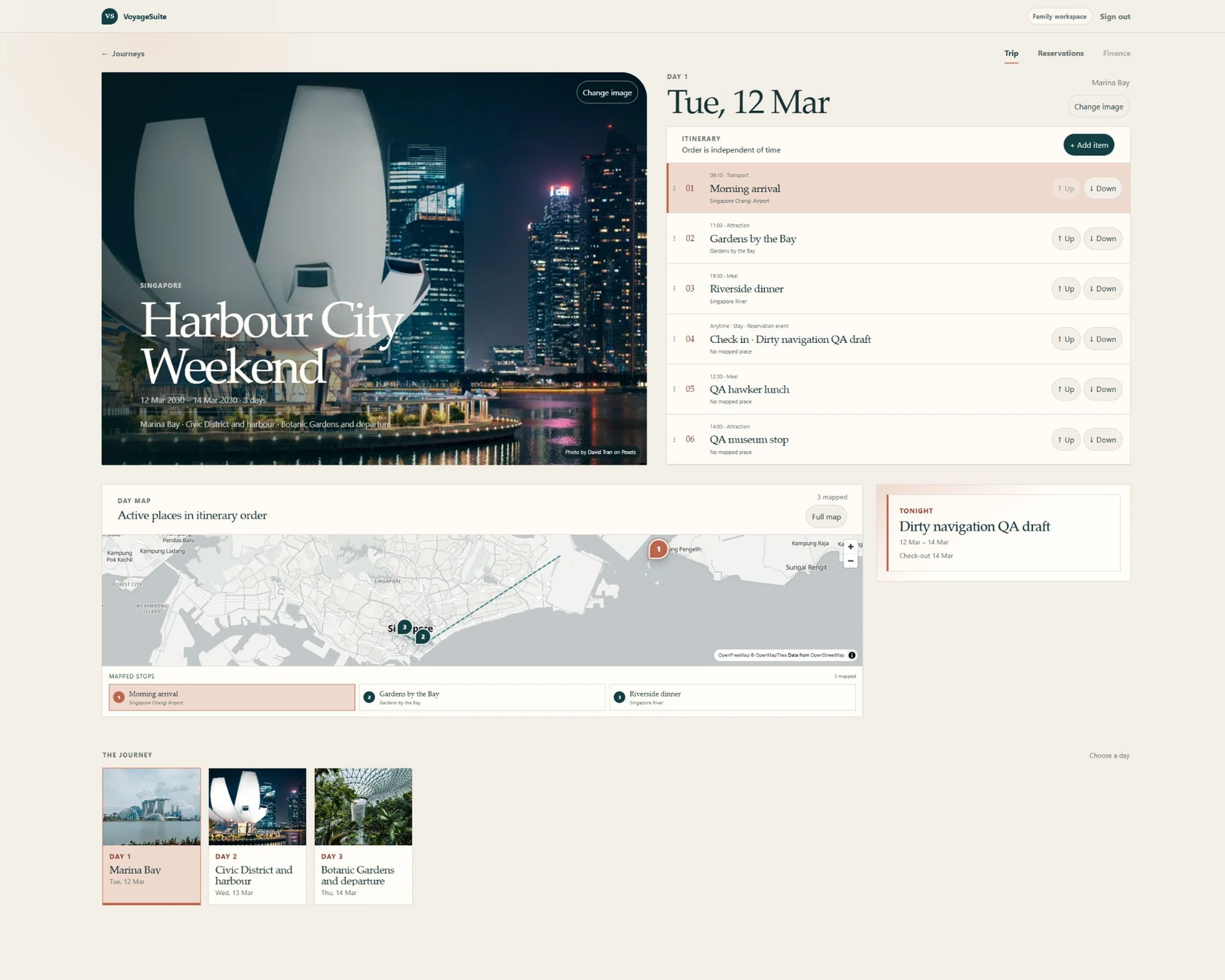
VoyageSuite · full desktop QA capturecurrent build
Full VoyageSuite desktop trip workspace with a Pexels journey hero, photo day filmstrip, itinerary and map
Full QA capture showing the Pexels-backed journey hero, photo day filmstrip, itinerary and map — displayed uncropped.
02 · Windows desktop application
ShiftLedgerWorking prototype

Turn shifts, pay and CPF reconciliation into one coherent ledger.

A Windows desktop application for recording hourly work, project earnings, CPF calculations, cash receipts and payment reconciliation.

Development focus: WPF desktop UI architecture, deterministic calculation rules, local persistence, reconciliation, reporting, packaging and automated testing.

C#WPF.NETMVVMEF CoreSQLite
Layered solutionDemo databaseGitHub Actions CIAutomated testsPortable Windows build
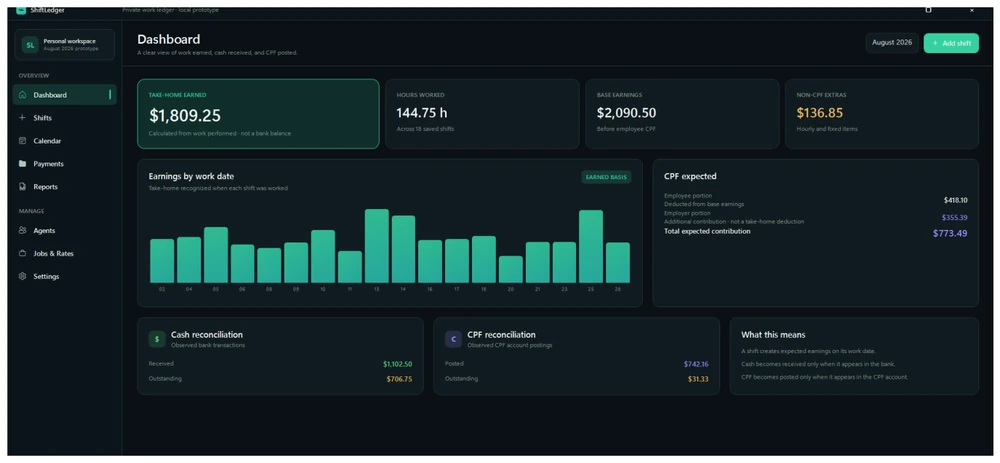
ShiftLedger · dashboarddemo data
ShiftLedger desktop dashboard showing earnings, CPF and reconciliation panels
Dashboard preview using the project's demo workspace — no personal production ledger data.
Technology

Tools and technologies I use while building.

I choose technologies based on what the project needs, while keeping architecture understandable and testable.

Web

TypeScript, React, Next.js, HTML and CSS for responsive browser-based applications.

Desktop

C#, WPF, .NET and MVVM for structured Windows desktop applications.

Data

PostgreSQL, Supabase, SQLite and Entity Framework Core for persistence and application data modelling.

Testing & workflow

Vitest, Testing Library, Git, GitHub and CI-oriented development workflows.

How I build

Learn by shipping small, working slices.

I tend to build software around problems I actually encounter rather than tutorial projects. I prefer clear data models, incremental development and interfaces designed for the devices where they will actually be used.

01

Start with the real workflow

Understand the problem first, then design the software around the actual sequence of tasks.

02

Build in small slices

Keep changes focused enough to test, review and improve without destabilising unrelated parts of the application.

03

Make state and data explicit

Prefer predictable data models and clear boundaries between persistence, business rules and presentation.

04

Design for the device

Desktop and mobile experiences are deliberate interfaces rather than accidental scaled versions of one another.

05

Test important behaviour

Use automated tests where they provide confidence in calculations, state transitions and application logic.

Development profile

More project activity on GitHub.

This site is a personal, non-commercial record of my software-development work and experiments.

github.com/mcwk1987